

@membranehq/react,like Combobox, use
Portal to mount outside of the stacking context.
If you are using a floating component on the default stacking context, no additional setup is requiredas the default portal boundary is the
<body/> element.
But for cases when you want to use a floating component within another floating component, the stacking context needs to be adjusted by bounding the portal area.This can be done with the
FloatingPortalBoundary component.
A common situation is a custom Modal rendered in a Portal with a Combobox as part of DataInput.
Modal and Combobox are rendered over their respective Portal inside of the <body />,resulting in two separate stacking contexts and
Modal might appear above Combobox.
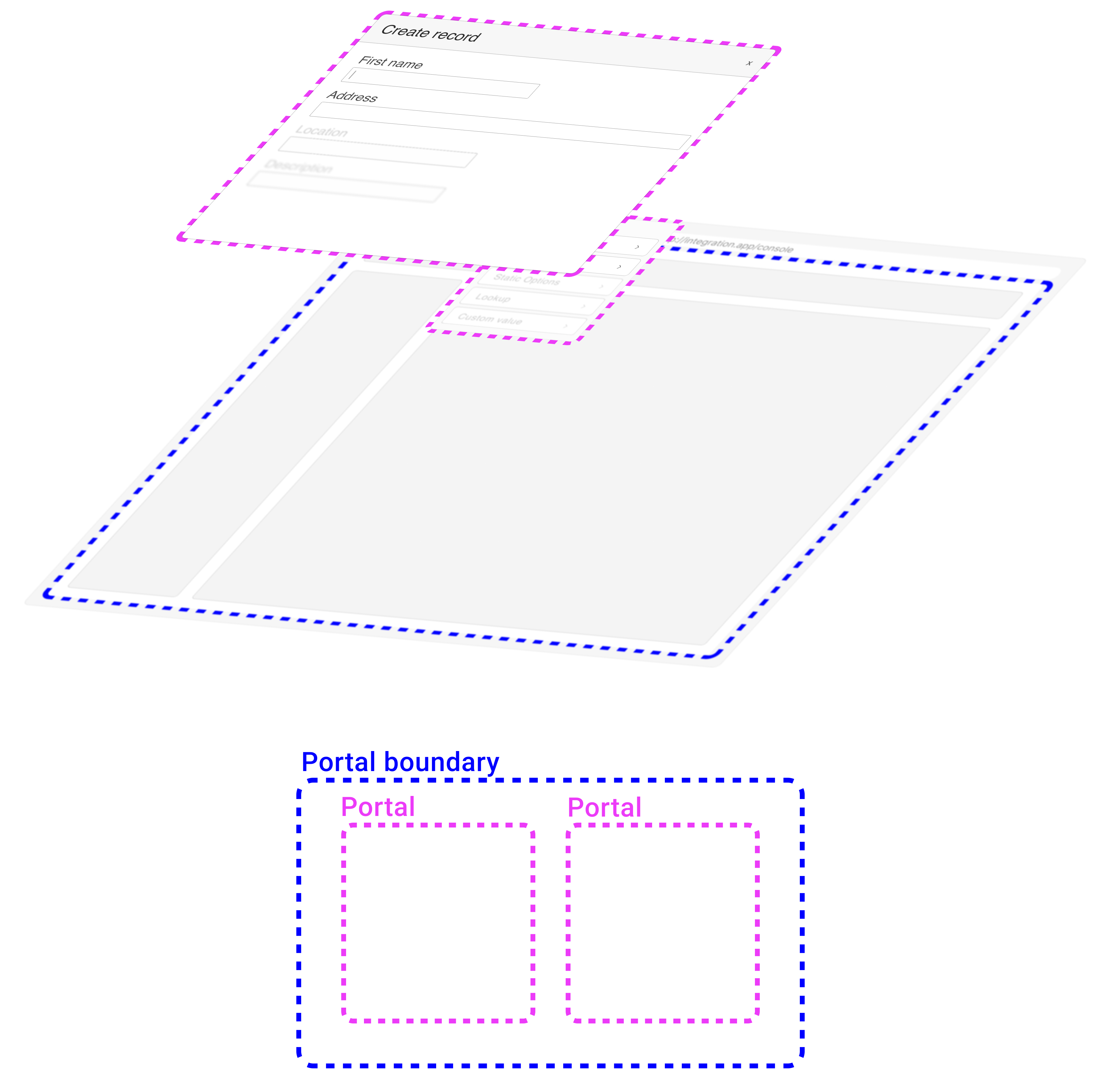
Combobox portal with Modal.Content.Use
FloatingPortalBoundary to wrap the content container.
Note:FloatingPortalBoundaryshould only have a single child because it attaches adata-*attribute to it,
which serves as an anchor forPortal.
Combobox from DataInput is portalled into the correct stacking context.
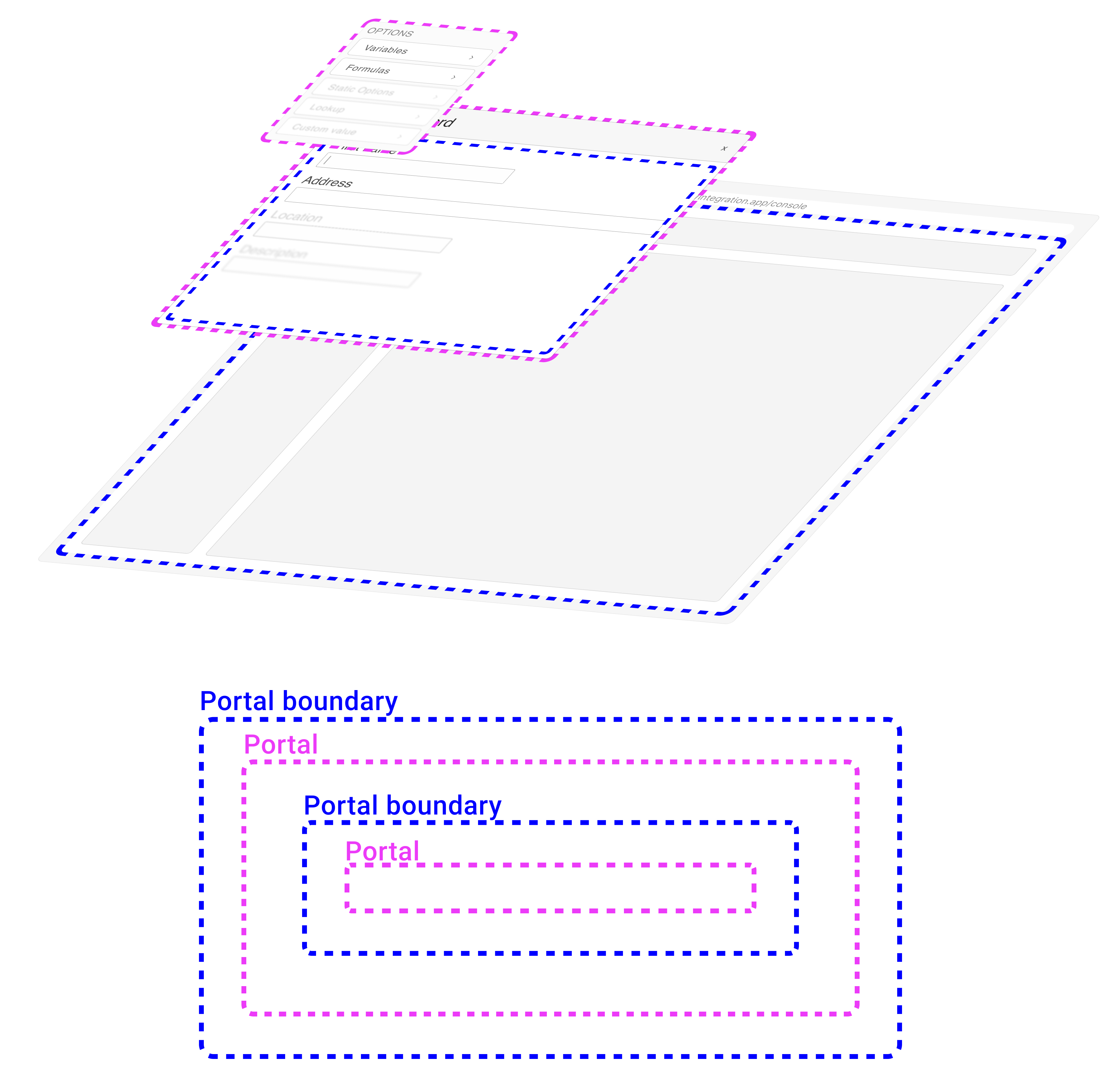
Props: FloatingPortalBoundary
| Prop | Type | Description |
|---|---|---|
children | React.ReactElement | Components Children. Accepts only single child. |
id | string | undefined | Custom ID for boundary container. If not passed - useId is used. |