Create Data Record
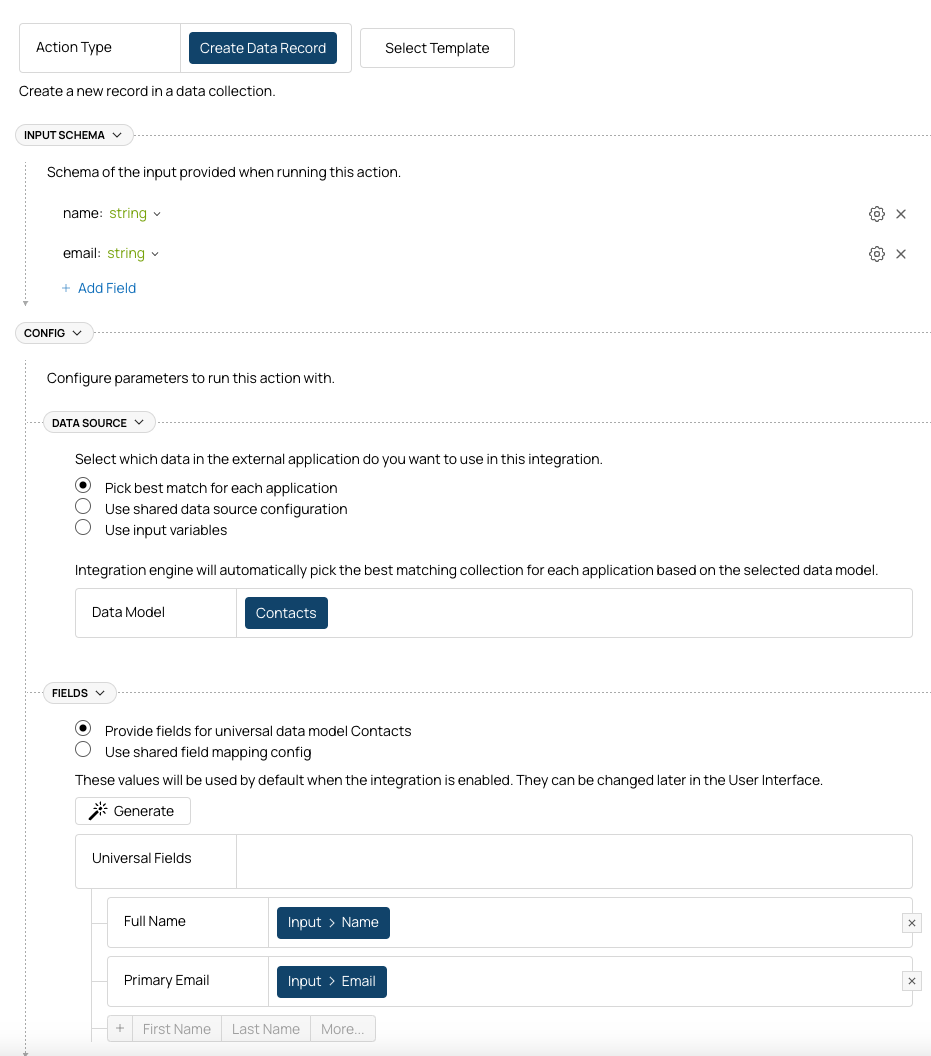
If you need to simply create a data record in external applications, create a “Create Data Record” Action. If you want to create one of the standard data models, you can start with a pre-built blueprint, otherwise create one from scratch: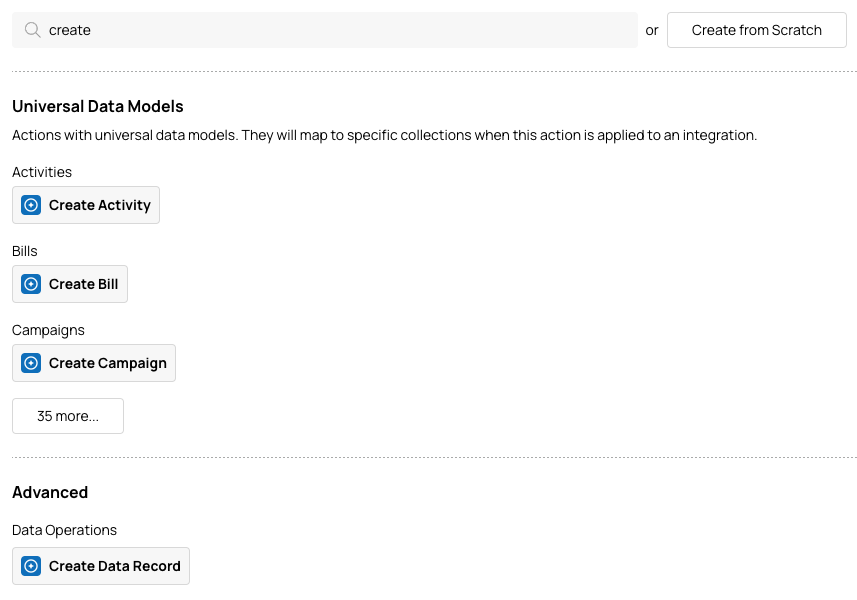
- Input Schema – specify inputs your application will provide to create the record.
- Data Source – select where in the external app you want to create a data record. You can use one of our Universal Data Models or create a shared Data Source (more on that later).
- Field Mapping – map your input schema to the fields of the record you want to create.
Find or Create
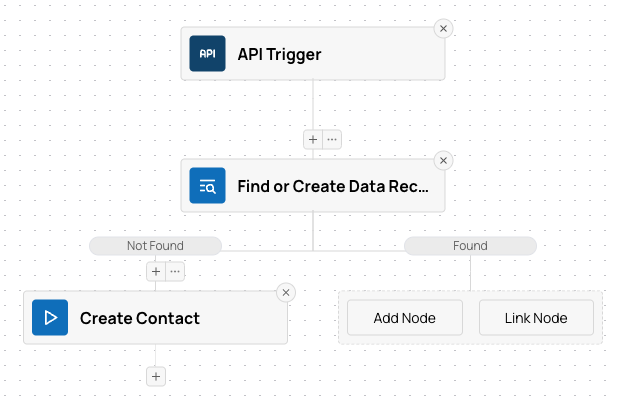
If you want to check if a matching data record exists in the external app before creating it, create a Flow with three steps:- Trigger – we will use an API trigger for simplicity.
- Lookup Data Record – to find an existing data record by one of its fields.
- Create Contact – we will re-use the “Create Contact” action we’ve created in the previous step.
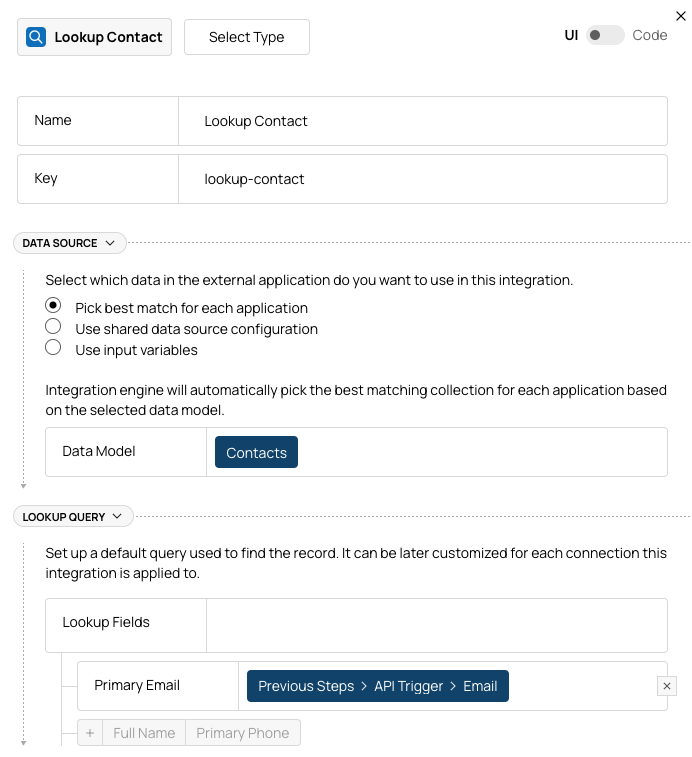
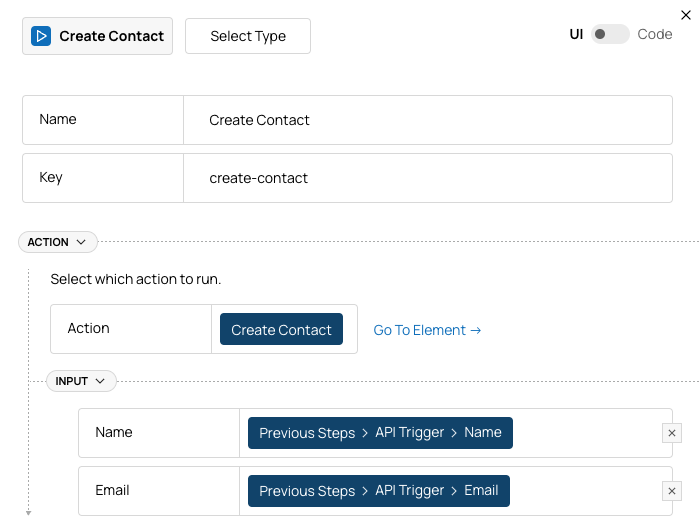
Data Source
Since we use data collection in two places (lookup contact and create contact), it makes sense to create a Data Source: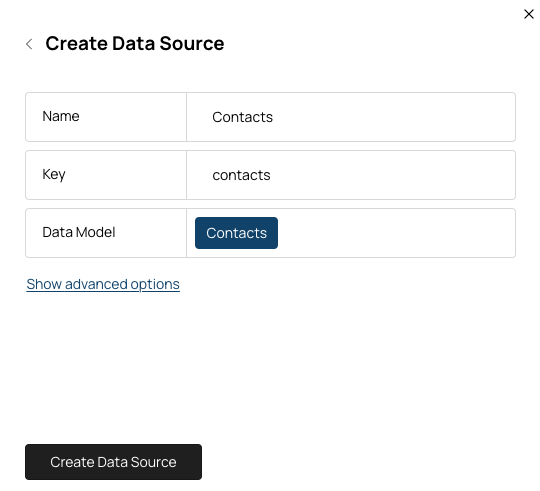
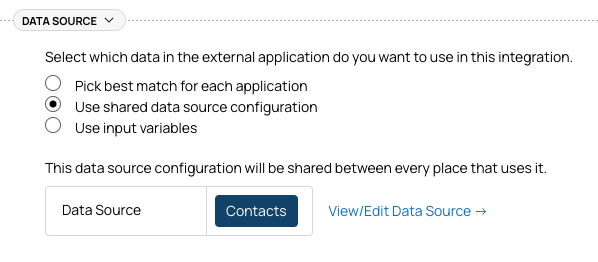
Field Mapping
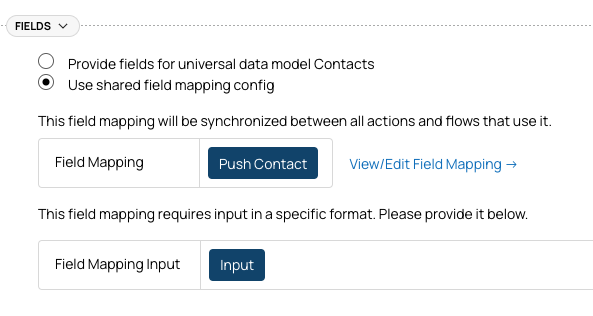
Similarly to Data Source, it may be a good idea to create a Field Mapping. It will let you:- Use the same mapping in multiple places (i.e. if you want to update contact if it exists, not just create a new one).
- Let your tenants configure the field mapping for their unique setup.
Pushing Related Objects
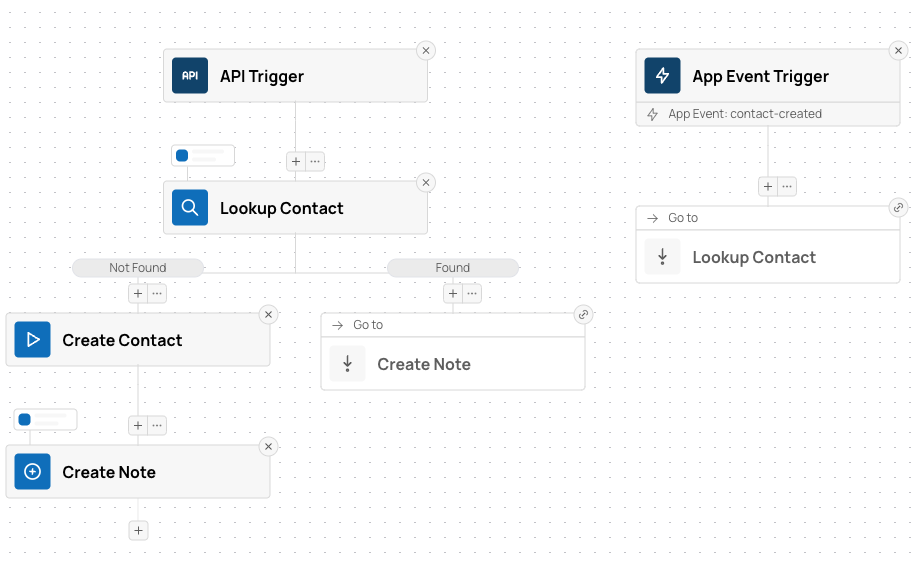
Let’s say you want to push a Note along with the Contact and associate it with the contact. For this, you can add another “Create Data Record” node to the flow: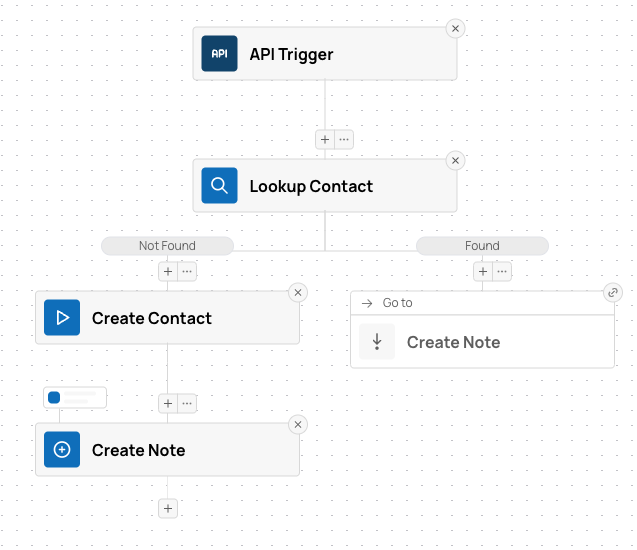
- Create Note node was added.
- Execution path with existing contact found was linked to the new node. Now note will be created regardless of whether we created a contact.
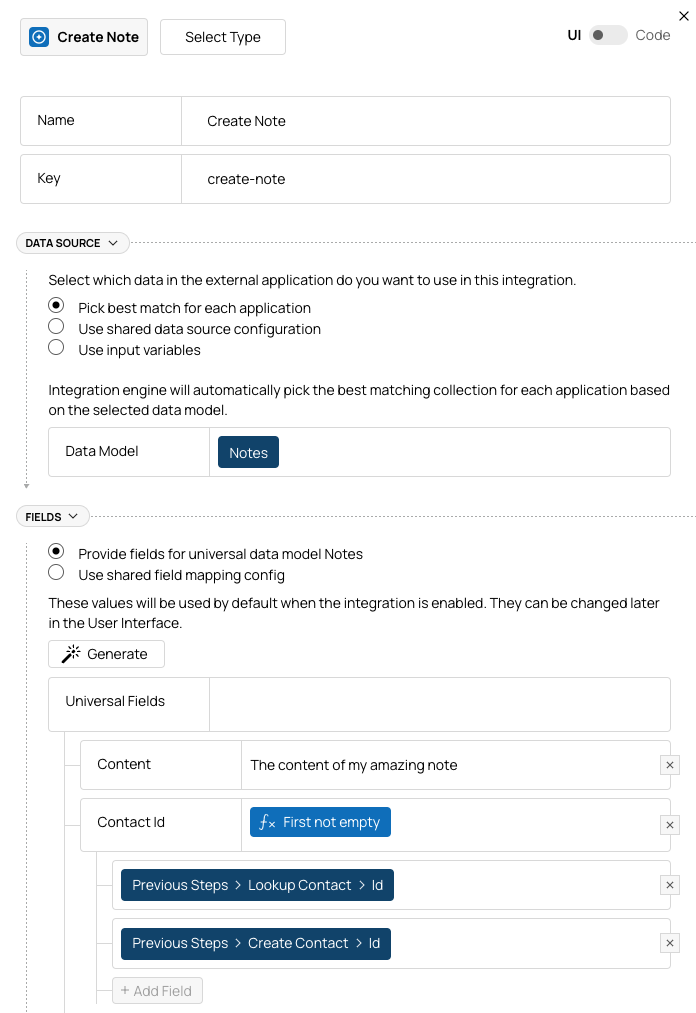
Lookup Contact or Create Contact nodes.To account for that, use a “First Not Empty” formula and let it choose the variable to use:
Reacting to Events in Your App
Depending on your use case, you may want to push changes (create, update, or delete records) to an external app based on events in your app rather than making explicit API calls to launch actions or flows. To do this, you can:- Create one or more Internal Events that are triggered when changes happen in your app.
- Modify the flow(s) to start with an Internal Event trigger instead of (or additionally to) an API trigger.